
01
Subcontractors tab for up to 100 subcontractors
With UTR, CIS status, verification number and date, plus totals paid, deducted and net for the tax year
For UK building contractors & bookkeepers
Paying subcontractors under the Construction Industry Scheme? Every month you have to take the right deduction from each payment, total it all up for the CIS300 return by the 19th, pay HMRC by the 22nd and give each subcontractor a payment and deduction statement. This tracker does the sums and keeps the record.
Screens from the included example file. All names and figures are fictional.
The list
With UTR, CIS status, verification number and date, plus totals paid, deducted and net for the tax year
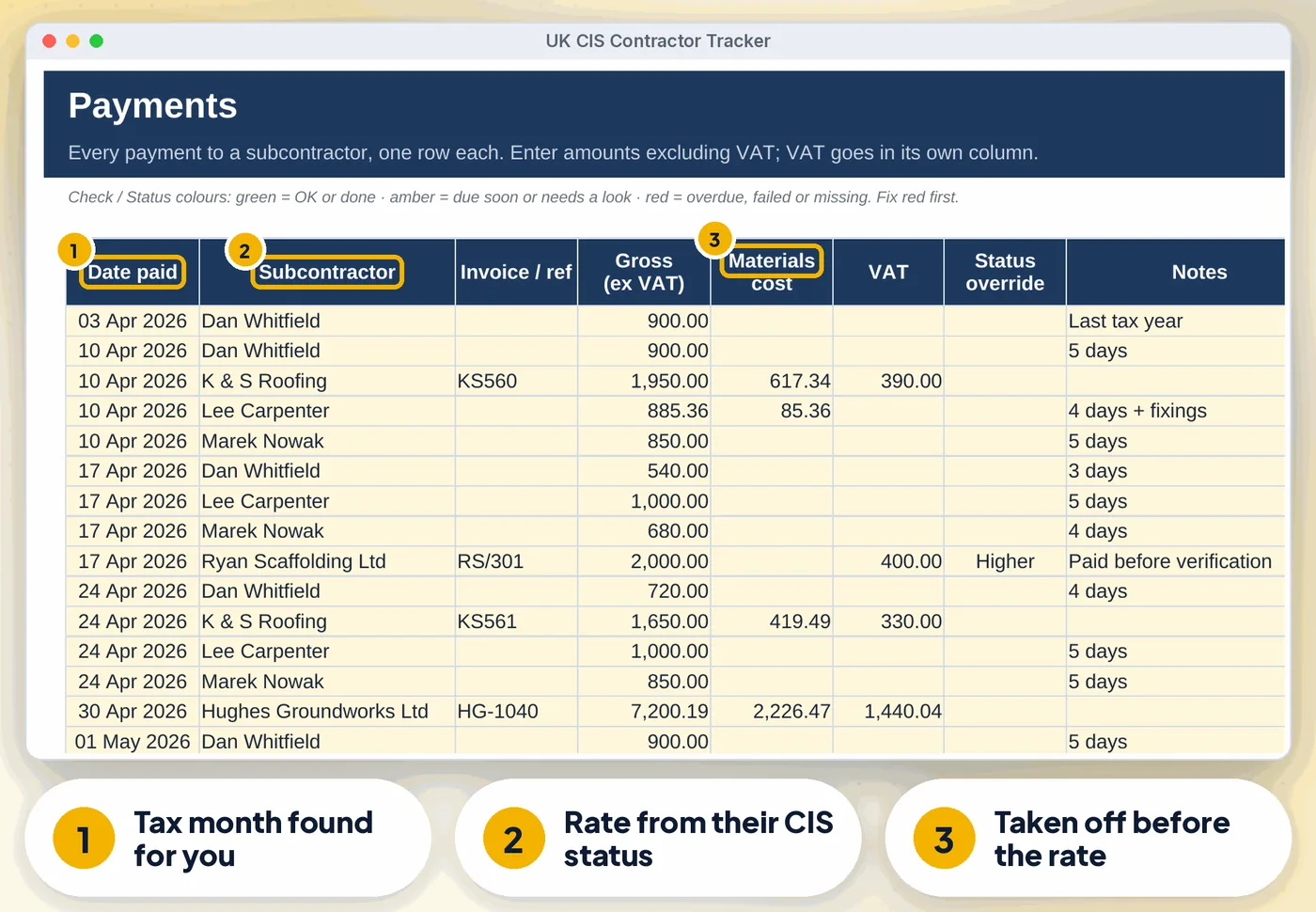
Enter gross ex VAT, materials and VAT, and the deduction (rounded down to the penny, or nearest penny), net pay and tax month are worked out
…deductions
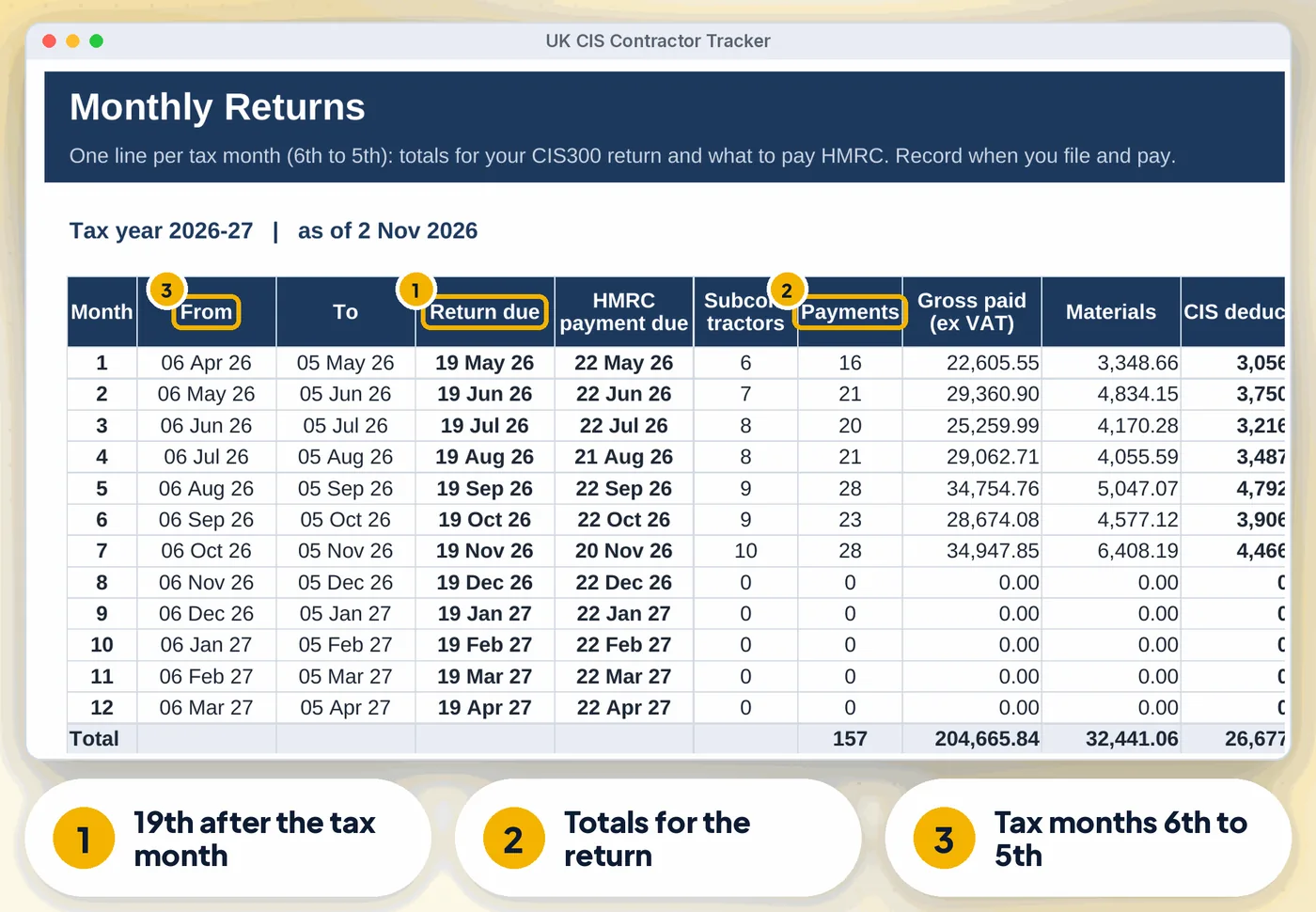
The totals for each CIS300 return, the return and HMRC payment due dates, and Filed / Overdue / Paid statuses once you record them
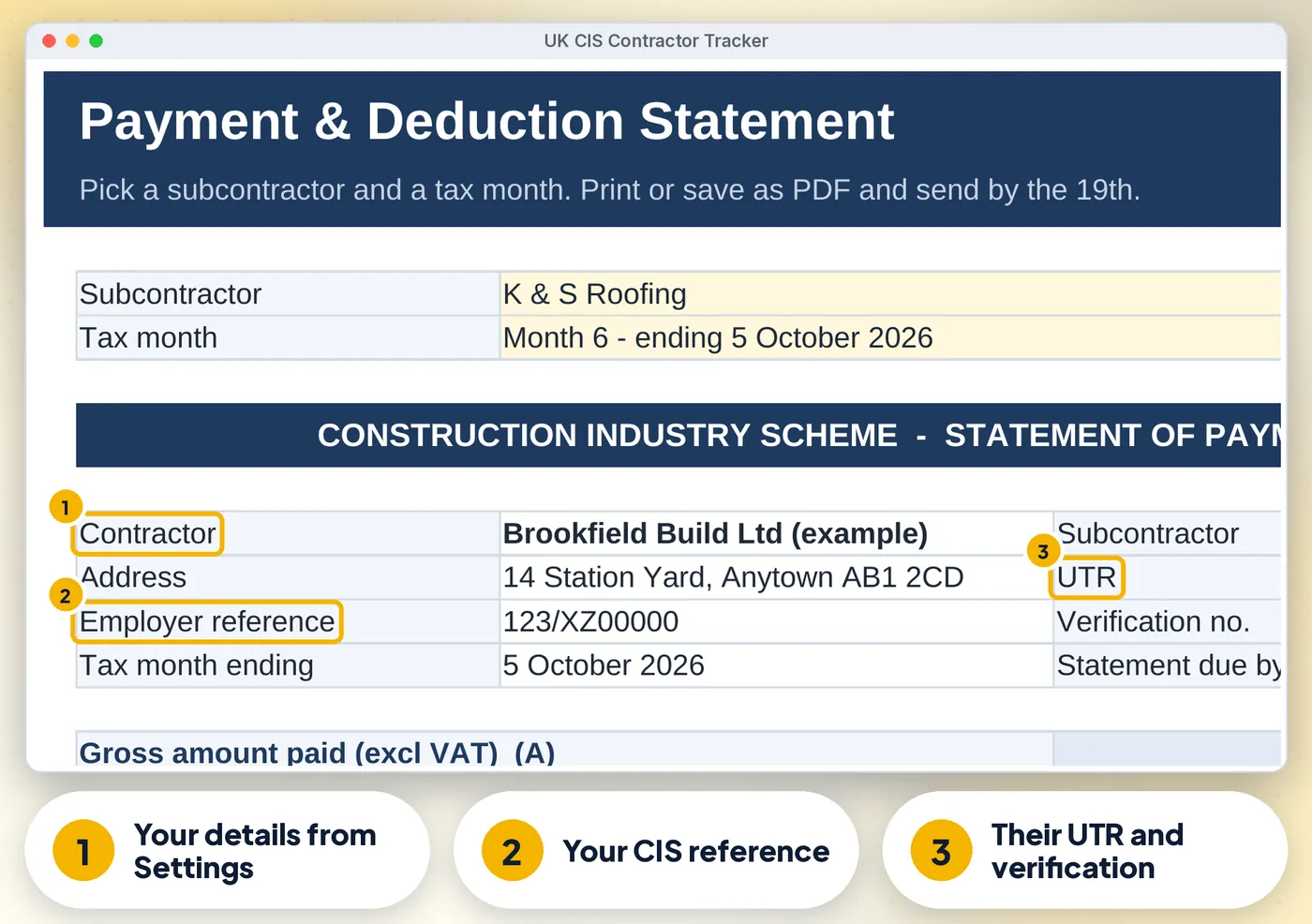
Pick a subcontractor and tax month, then print or save as PDF
Unverified or duplicate subcontractors, unknown names, text in date or amount cells and materials above gross
The next return due, a top 10, four charts and a "What needs your attention" list
Compare
| Feature | Paper or notes | A blank spreadsheet | This tracker |
|---|---|---|---|
| Subcontractors tab for up to 100 subcontractors | ✗No | ~ If you build it | ✓ Built in |
| Payments log for up to 2,000 payments | ✗No | ~ If you build it | ✓ Built in |
| Monthly Returns | ✗No | ~ If you build it | ✓ Built in |
| Payment and deduction statement | ✗No | ~ If you build it | ✓ Built in |
| Flags missing statuses, bad UTRs | ✗No | ~ If you build it | ✓ Built in |
| Cost | Free, plus your time | Free, plus your time | £12.99 once |
What's inside
Is it right for you?
How it works
Your name, employer reference and tax year on Settings (CIS rates are filled in)
File and pay from Monthly Returns and print each Statement.
The offer
£12.99one-off · no subscription
Price includes VAT where applicable — calculated at checkout. Secure checkout by Payhip.
14-day money-back guaranteeIf the template doesn't work for you, email info@phkmedia.co.uk within 14 days of purchase and we'll refund you in full — no hoops.
Digital download, nothing is posted. This tracker is a record-keeping and calculation aid, not tax advice. Terms & licence.
Bundle
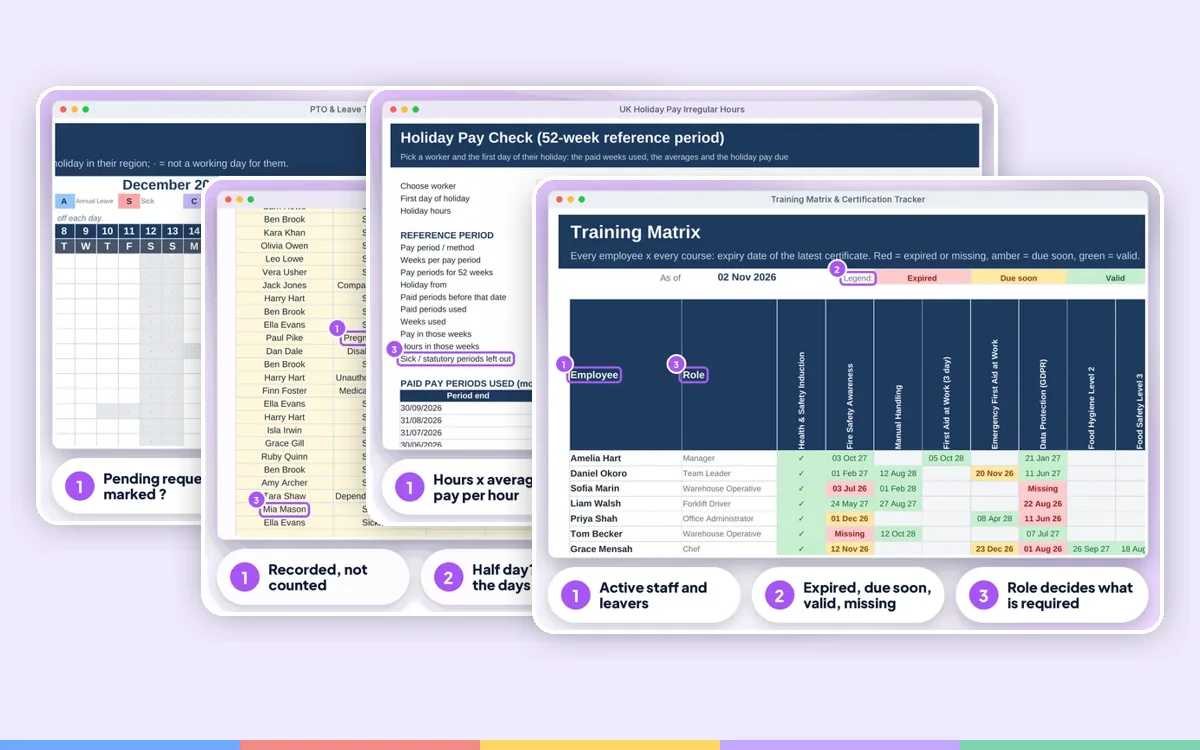 Employer Complete BundleIt's Monday, someone has called in sick, a new starter needs a right to work check, the tronc is due and the fire alarm test was last week, or was it?
£84.99£137.90 one by one
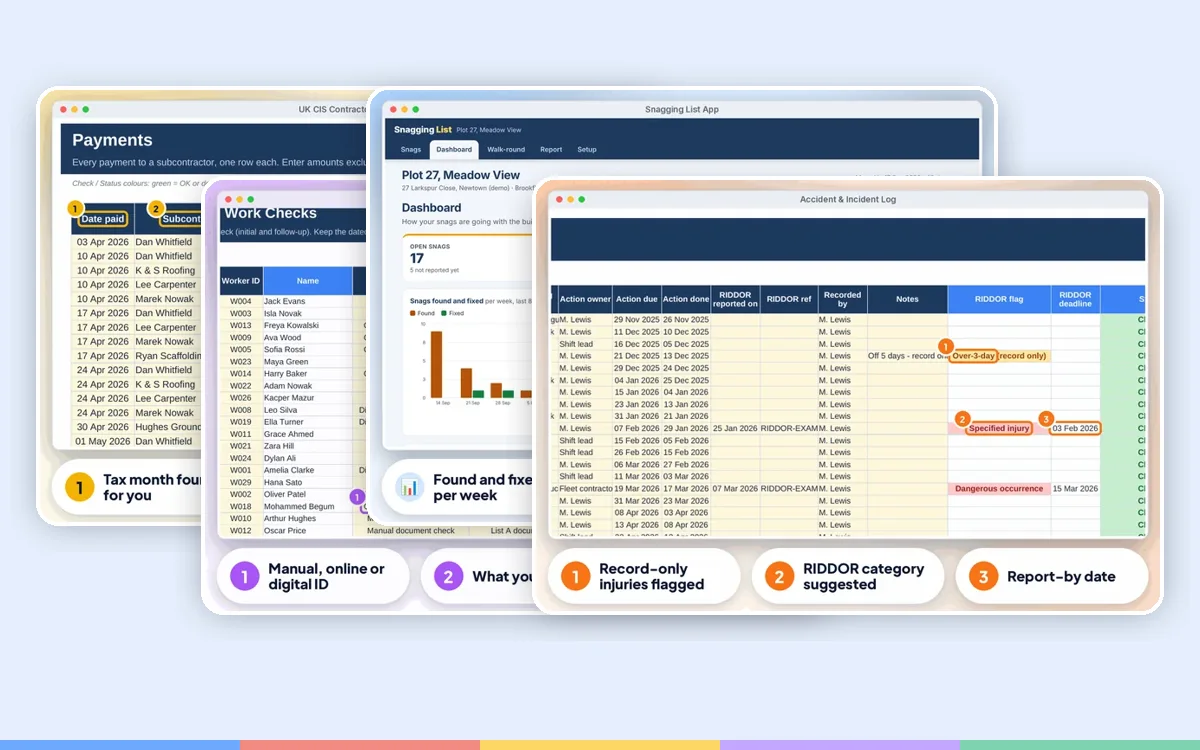 Construction & Trades BundleSubbies to pay with the right CIS deduction, a new labourer starting Monday, a van MOT due, a near miss on site and a snag list for the handover.
£36.99£59.95 one by one
If the template doesn't work for you, email info@phkmedia.co.uk within 14 days of purchase and we'll refund you in full — no hoops.
Full policy in our Terms.
FAQ
No. You do both through HMRC online services or your software; this gives you the figures and statements.
No.
Yes, in Google Sheets you can share it.
You're covered by our 14-day money-back guarantee. If the template doesn't work for you, email info@phkmedia.co.uk within 14 days of purchase and we'll refund you in full — no hoops.
This is a digital product. Nothing physical will be shipped. Your download link appears straight after checkout and is also emailed to you.
Yes. Message us at info@phkmedia.co.uk and we'll help you set it up.