
01
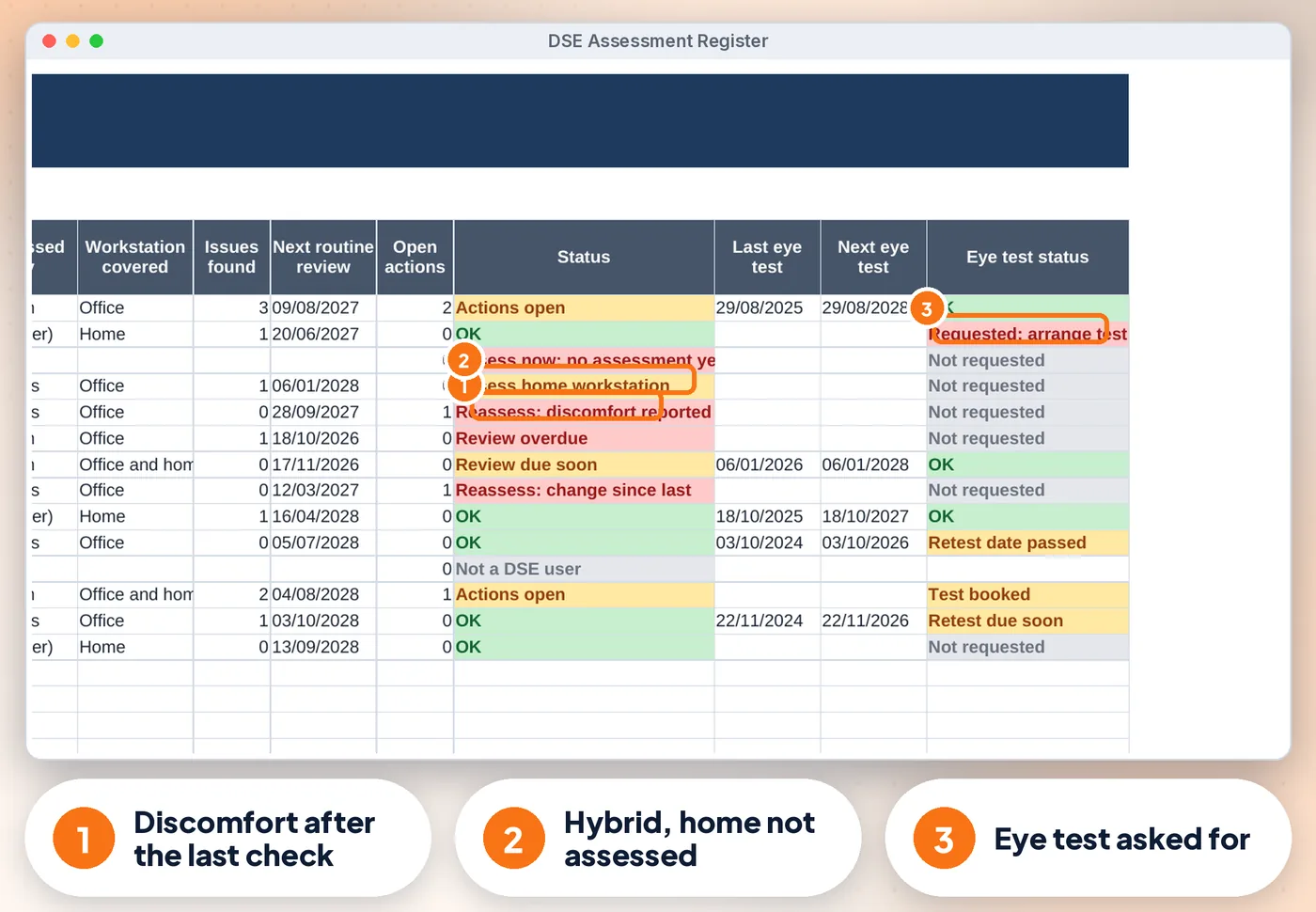
See who to assess now
New DSE users with no assessment, discomfort or a change reported after the last assessment, and routine reviews that are overdue (your own interval, or none)
For UK offices, practices & hybrid teams
Someone reports a sore wrist, two people now work from home three days a week, and a new starter joined on Monday. Who needs a DSE assessment now, which fixes are still open, and who asked for an eye test? This register answers all three on one screen.
Screens from the included example file. All names and figures are fictional.
The list
New DSE users with no assessment, discomfort or a change reported after the last assessment, and routine reviews that are overdue (your own interval, or none)
People who work at home long-term or hybrid, whose home workstation was never assessed, are flagged
The full history of every assessment, with assessor, method (assessor visit, trained self-assessment or video call), workstation covered and reason
So are issues that are not on Actions yet
Keyboard, mouse, software, chair, desk, lighting, environment, home working, health and breaks. Every "No" shows as Fix
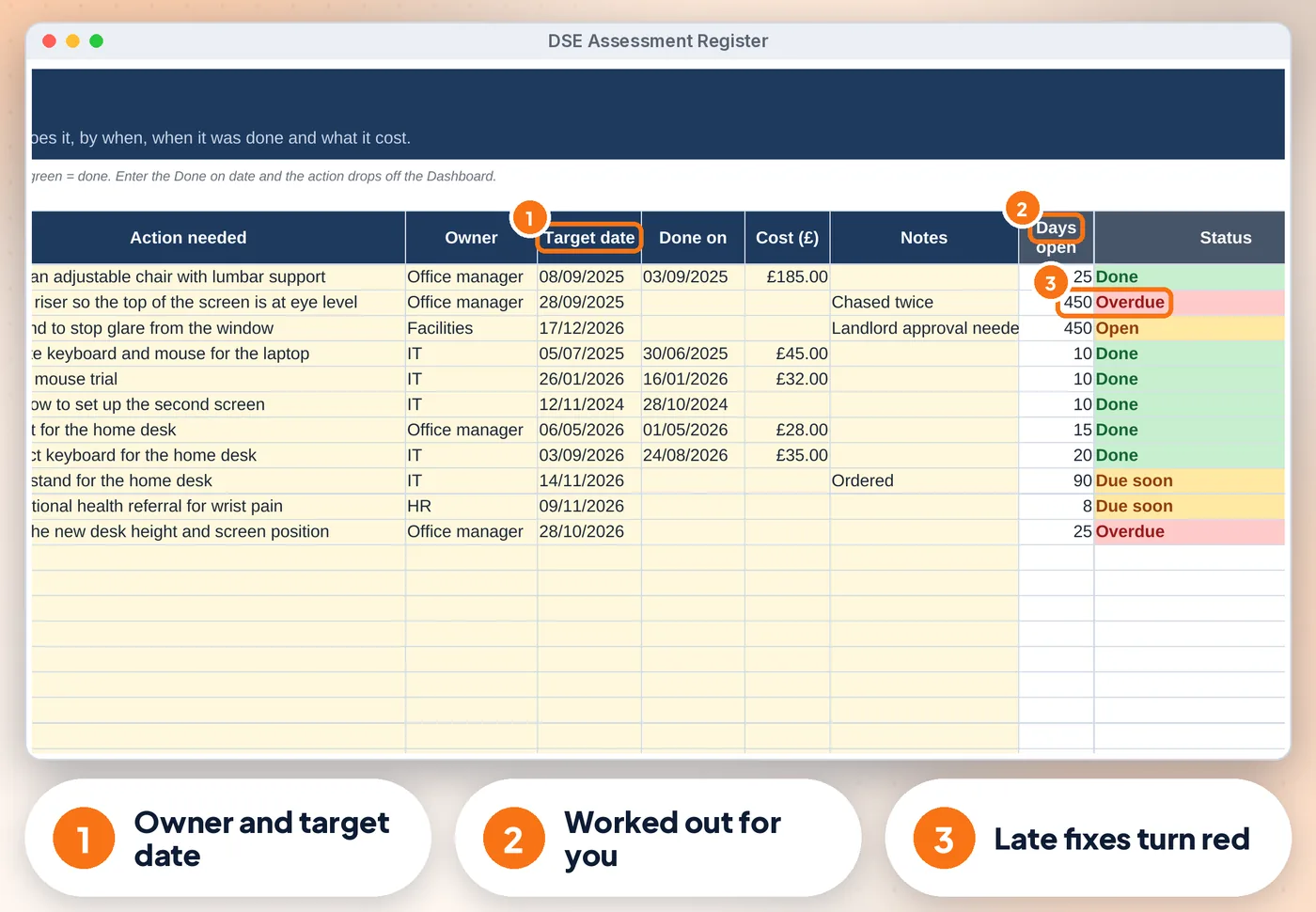
Every fix gets an owner, a target date and a cost. Overdue actions turn red and show on the Dashboard
Requests, booked tests, outcome, test and glasses costs and retest dates. Requests stay red until a test is booked
Compare
| Feature | Paper or notes | A blank spreadsheet | This register |
|---|---|---|---|
| See who to assess now | ✗No | ~ If you build it | ✓ Built in |
| Home and hybrid working | ✗No | ~ If you build it | ✓ Built in |
| Assessments Log | ✗No | ~ If you build it | ✓ Built in |
| Actions | ✗No | ~ If you build it | ✓ Built in |
| Eye Tests | ✗No | ~ If you build it | ✓ Built in |
| Cost | Free, plus your time | Free, plus your time | £12.99 once |
What's inside
Is it right for you?
How it works
Organisation name, an optional review interval, departments, locations and assessors, then one row per person (about 10 minutes)
Fill in the checklist, log the assessment, add each fix to Actions and each eye test request to Eye Tests
Open the Dashboard, close actions, arrange eye tests and print the Audit Pack when asked
The offer
£12.99one-off · no subscription
Price includes VAT where applicable — calculated at checkout. Secure checkout by Payhip.
14-day money-back guaranteeIf the template doesn't work for you, email info@phkmedia.co.uk within 14 days of purchase and we'll refund you in full — no hoops.
Digital download, nothing is posted. This register is a record-keeping aid, not health and safety or legal advice. Terms & licence.
If the template doesn't work for you, email info@phkmedia.co.uk within 14 days of purchase and we'll refund you in full — no hoops.
Full policy in our Terms.
FAQ
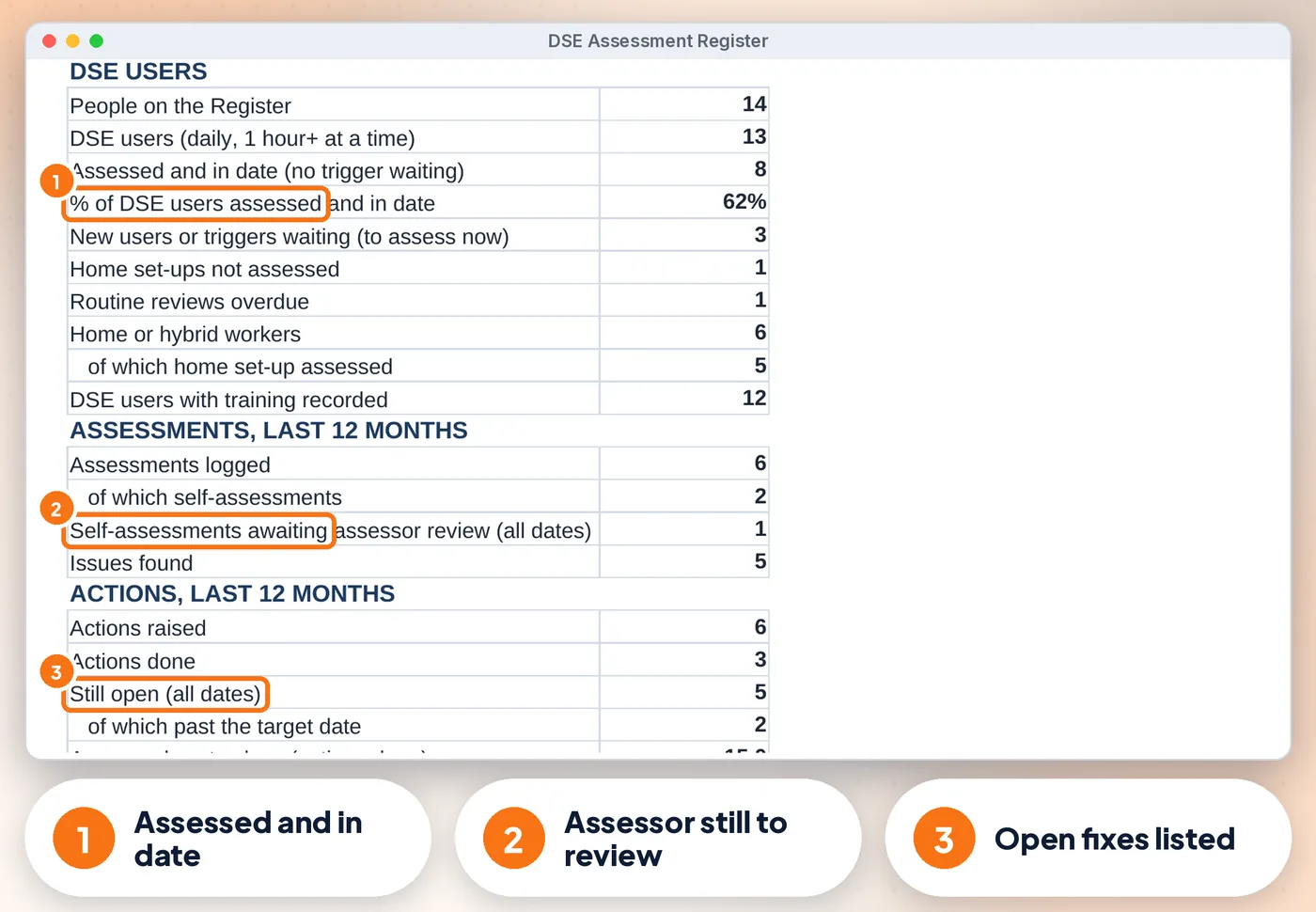
Yes, HSE allows trained users to self-assess. The register flags self-assessments until an assessor has reviewed them.
You can view it in the Google Sheets app, but entering data is easiest on a computer.
Yes, in Google Sheets you can share it with your team.
You're covered by our 14-day money-back guarantee. If the template doesn't work for you, email info@phkmedia.co.uk within 14 days of purchase and we'll refund you in full — no hoops.
This is a digital product. Nothing physical will be shipped. Your download link appears straight after checkout and is also emailed to you.
Yes. Message us at info@phkmedia.co.uk and we'll help you set it up.